Secure Inbox
Every coder on the Kode platform has a private email address associated with their account. This allows Kode and its
clients to send you emails securely without using your personal email address. Messages sent to this address appear in
your Secure Inbox. Kode exclusively uses this email address when submitting you for work with clients. Secure Inbox
is a receive-only inbox intended for communications from clients (e.g. account setup emails, password reset emails).
Like many email programs, Secure Inbox displays a list of messages on the left side of the page and the
selected message on the right.
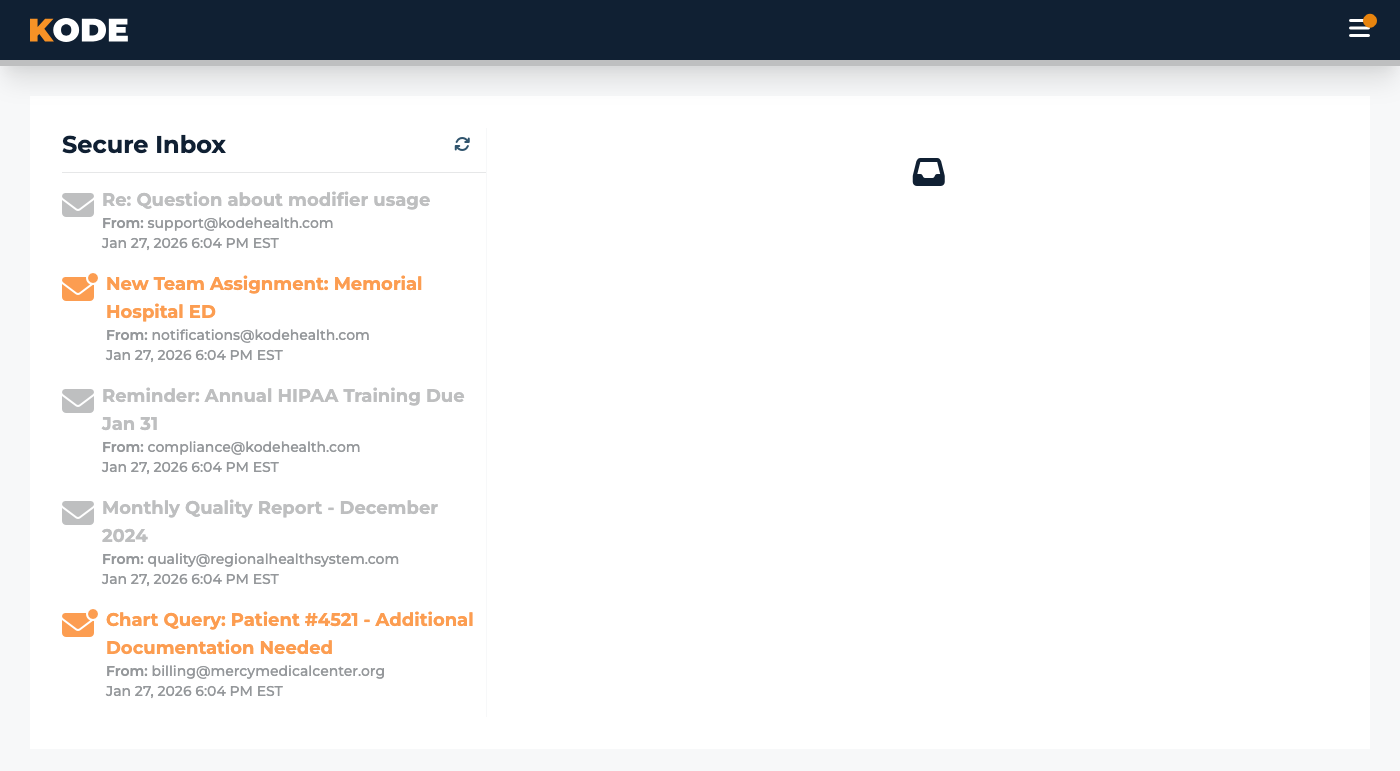
Secure Inbox split-pane view with the message list on the left and the selected message on the right
Each message shows:
- The email subject
- Who the message is from
- When the email was received
- Whether you have read it or not
Mark messages as read
Messages are not marked as read automatically when you open them. This is so you can keep track of messages you still
need to act on. When you open a message there is a Mark read button in the upper-right corner of the message.
Click Mark read to change the status of the message to read.
Deleting messages
You can delete messages if you no longer need them (e.g. temporary passwords, one-time codes) by clicking the Delete
button.
⚠️ Message deletion is permanent! There's no trash to recover messages from!
Attachments
When a message has an attachment, it will appear at the top of the message and can be downloaded by clicking the link.
Common Questions
Q: What is my Secure Inbox email address?
Your email address is currently not shown to you in the Kode platform. If you need it to verify your identity with
a client's support desk, please reach out to the Kode Help Desk who can provide it to you.
Q: How do I send a message?
You currently can't send email from your Secure Inbox. Secure Inbox is receive-only and is intended for receiving
emails from Kode and clients.
Q: Can I forward a message?
No. You cannot forward messages from your Secure Inbox.
Q: Can I search my inbox?
No, there is currently no search function available in the Secure Inbox.
Q: Why does opening a message not change its status?
You have to mark a message as read manually — click Mark read to change its status. This way you can view
messages without losing track of what you still need to act on.
Q: How do I know I have new messages?
When you receive an email in your Secure Inbox, you will receive an notification in your personal email telling
you that there is a message waiting for you to read. There will also be an unread count badge on the Secure Inbox item
in the left sidebar when you have any unread messages.